

티스토리 뷰
Programming
프로그래밍을 하는 이유는 자동화된 처리를 하기 위해
코드를 순차적으로 실행하고
컴퓨터가 사람 대신 동작하게 해 효율적으로 처리하기 위해
vscode java
Ctrl + Shift + P(보기 > 명령팔레트)
Java: Create Java Project...
남이 만든 코드를 부품으로 이용하여 내 프로그램을 작성할 때
프로젝트 아래 src 폴더 안에 패키지를 넣어준 뒤 import
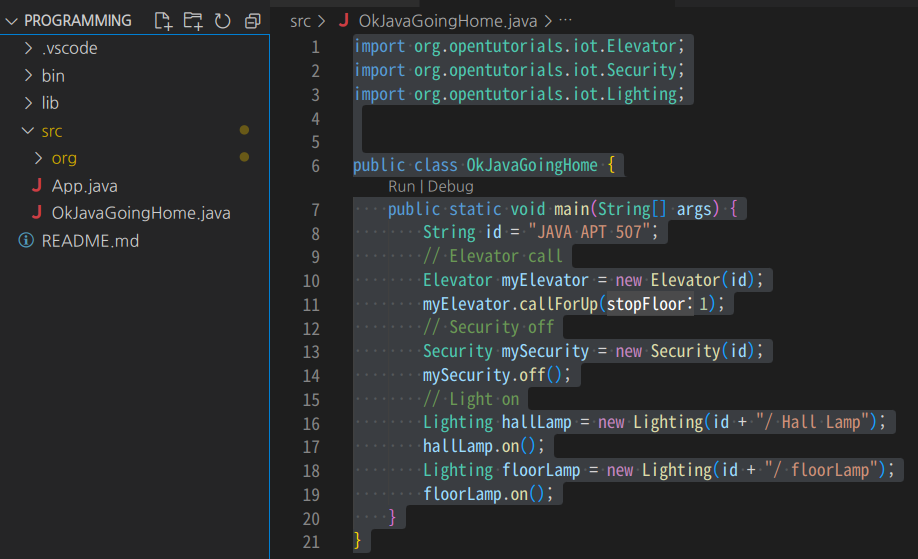
import org.opentutorials.iot.Elevator;
import org.opentutorials.iot.Security;
import org.opentutorials.iot.Lighting;


public class OkJavaGoingHome {
    public static void main(String[] args) {
        String id = "JAVA APT 507";
        // Elevator call
        Elevator myElevator = new Elevator(id);
        myElevator.callForUp(1);
        // Security off
        Security mySecurity = new Security(id);
        mySecurity.off();
        // Light on
        Lighting hallLamp = new Lighting(id + "/ Hall Lamp");
        hallLamp.on();
        Lighting floorLamp = new Lighting(id + "/ floorLamp");
        floorLamp.on();
    }
}
2022.12.31
'Java(생활코딩)' 카테고리의 다른 글
| [Java] 입력과 출력 (0) | 2023.01.03 |
|---|---|
| [Java] 디버거 (1) | 2023.01.01 |
| [Java] 변수 (0) | 2022.12.30 |
| [Java] 데이터 타입 (0) | 2022.12.28 |
| [Java] 설치 (0) | 2022.12.26 |
댓글
공지사항